
Update an internal link after a redirect
Preview exact replacements on one supported page and keep a guarded revision recovery.
Check that the page and rule are eligible
This administrator tool works on one public, password-free classic HTML post or page at a time. It needs an existing permanent, exact, unconditional local redirect, a fresh saved content scan, InnoDB post/meta tables and enabled native WordPress revisions.
Only supported exact root-relative or same-origin absolute anchor links are replaced. Blocks, builders, shortcodes, dynamic markup, queries, fragments, relative links, menus and templates require their normal editor. There is no database-wide replacement.
Refresh the saved source evidence
Start or refresh the authorized content scan in Site diagnostics. A scan examines at most 1,000 public posts/pages, 500 unique destinations and five source pages per destination. It does not render dynamic content or establish complete site coverage. Starting the scan makes outbound checks; external destinations require a separate choice.
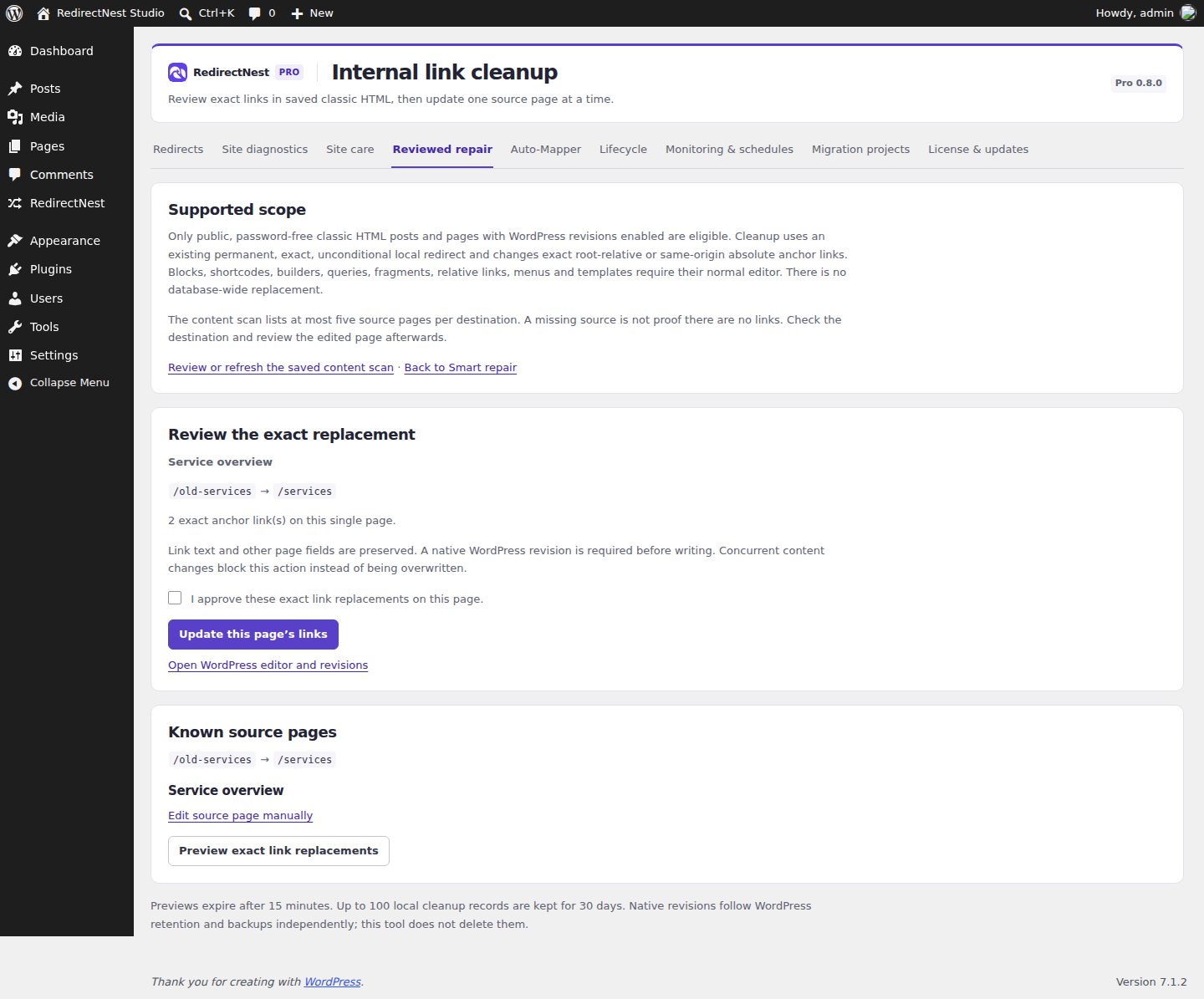
After an eligible Smart repair is published, choose Review saved-content links. Review Known source pages. If a source is absent, it may be outside the saved scan; use WordPress search and edit it manually. If the saved page changed or uses an unsupported format, the tool directs you to its normal editor.
Preview and approve one page
- Choose Preview exact link replacements for the intended page.
- Inspect the source, destination and exact anchor count. The preview expires after 15 minutes.
- Select the explicit content approval and choose Update this page’s links.
- Open the page and review its content and links.
Link text and unrelated page fields are preserved. A native revision is required before writing. Changed content or rules block the approval rather than overwriting concurrent work; refresh the source scan and prepare another preview.
Restore only the unchanged cleanup result
Use Restore this page’s content and its confirmation while the current content exactly matches the saved cleanup result. Restoration uses the verified before-cleanup WordPress revision. If anyone has edited the page since cleanup, the tool refuses to overwrite those changes; review WordPress revisions manually instead.
Up to 100 local cleanup records remain for 30 days. Native revisions and backups have their own retention. Auxiliary erasure clears cleanup records even with Pro inactive, but does not erase WordPress revisions. Whole-rule snapshot recovery is separate and cannot undo page content.
These guides describe Free and Pro 0.8.0. Current downloads and availability.