
Map a migration from two sitemaps
Review local suggestions, approve individual rows and create a draft for the existing publication workflow.
Upload the old and new URL inventories
As an administrator, open RedirectNest → Migration Auto-Mapper. Enter a review name and the old/new domains and upload the two local sitemap XML files. Use individual UTF-8 urlset sitemaps, not sitemap indexes. Each upload is limited to 2 MB and 5,000 URLs. DTDs and entities are rejected.
Matching runs locally. The plugin does not fetch the sitemaps, crawl the domains or make destination checks at this stage. Do not put credentials or private URLs into the files.
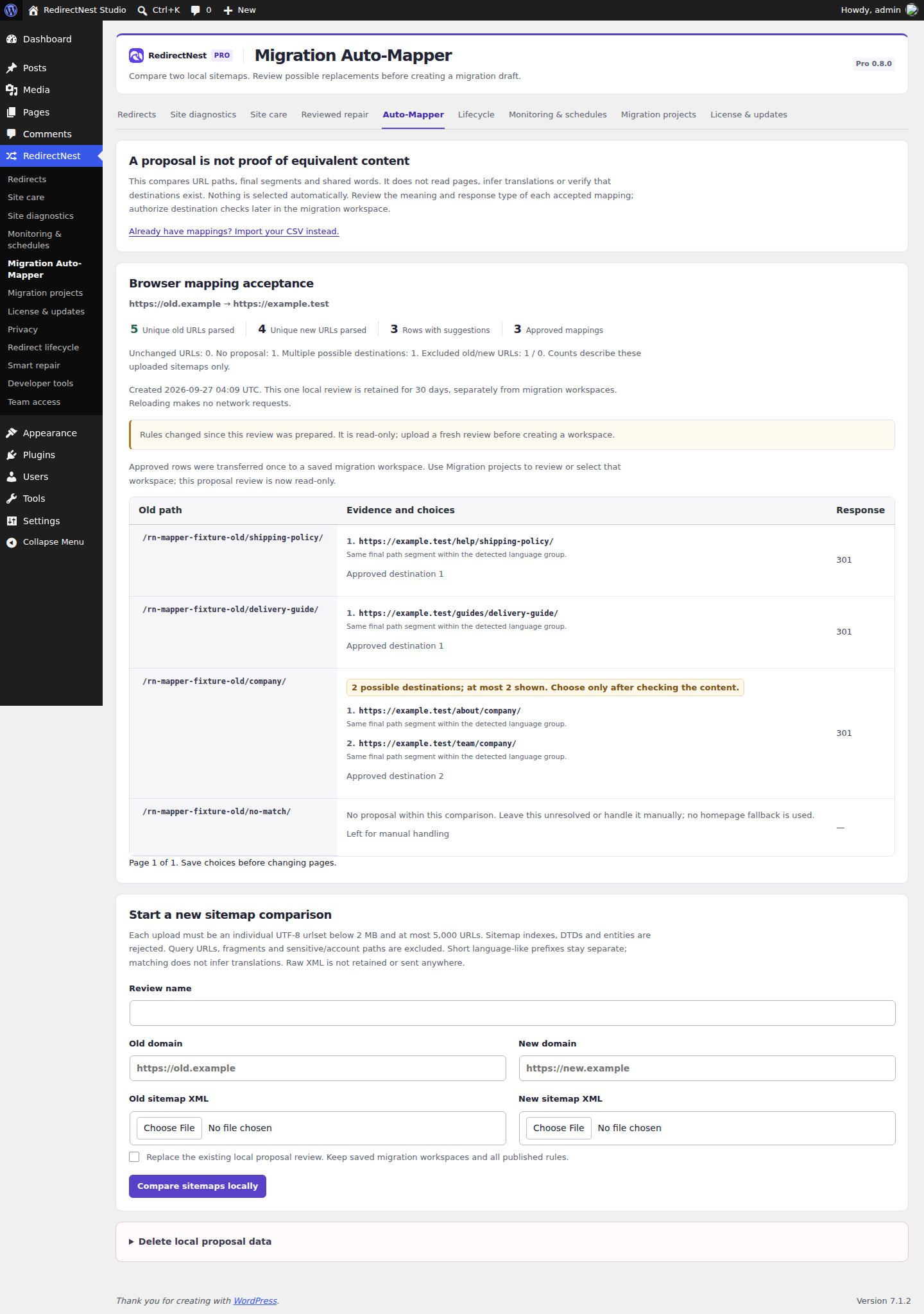
Approve or skip each row
Review up to three lexical candidates for each proposed move and choose a response type. Similar paths are a clue, not evidence of equivalent content. Open and assess the intended page yourself. Approve a candidate or leave the row for manual handling; unresolved decisions do not become redirects automatically.
A move between domains with the identical path is excluded from generated local redirects to avoid a self redirect. Requests to the old domain must reach the correct old-host routing. This tool does not configure DNS, hosting, domain routing or server rules.
Create a draft, then run the existing checks
Review the existing-source choice: reject duplicate sources or explicitly replace matching sources. Confirm the domain-routing boundary, then choose Create draft from approved mappings. Only approved mappings enter the workspace.
Continue through the migration guide: full diff, separately authorized destination checks, explicit publication and post-publication verification. Creating a draft is not publication. A changed ruleset or stale evidence requires a fresh review.
Proposal reviews expire after 30 days. Deleting a local proposal leaves saved migration workspaces and published redirects in place. Workspaces, snapshots and independent backups have separate retention.
These guides describe Free and Pro 0.8.0. Current downloads and availability.