
Install or update Free and Pro
Start with Free. Update an existing pair in the right order and keep a recovery plan.
Free works on its own. Fresh installation: Free first, then Pro. Existing pair: Pro first, then Free, without uninstalling.
Pro downloads require an eligible purchase. Release availability · Already installed? Update steps
Install Free on a new site
Use WordPress 6.7 or newer and PHP 8.1 or newer. Keep an independent database and file backup and start on staging.
- Download the current Free 1.1.2 ZIP.
- In WordPress, open Plugins → Add Plugin → Upload Plugin. Upload, install and activate it.
- Open RedirectNest → Redirects and create one exact rule. Test the old path before making more changes.
Free needs no registration, payment or license. Its folder stays redirect-nest.
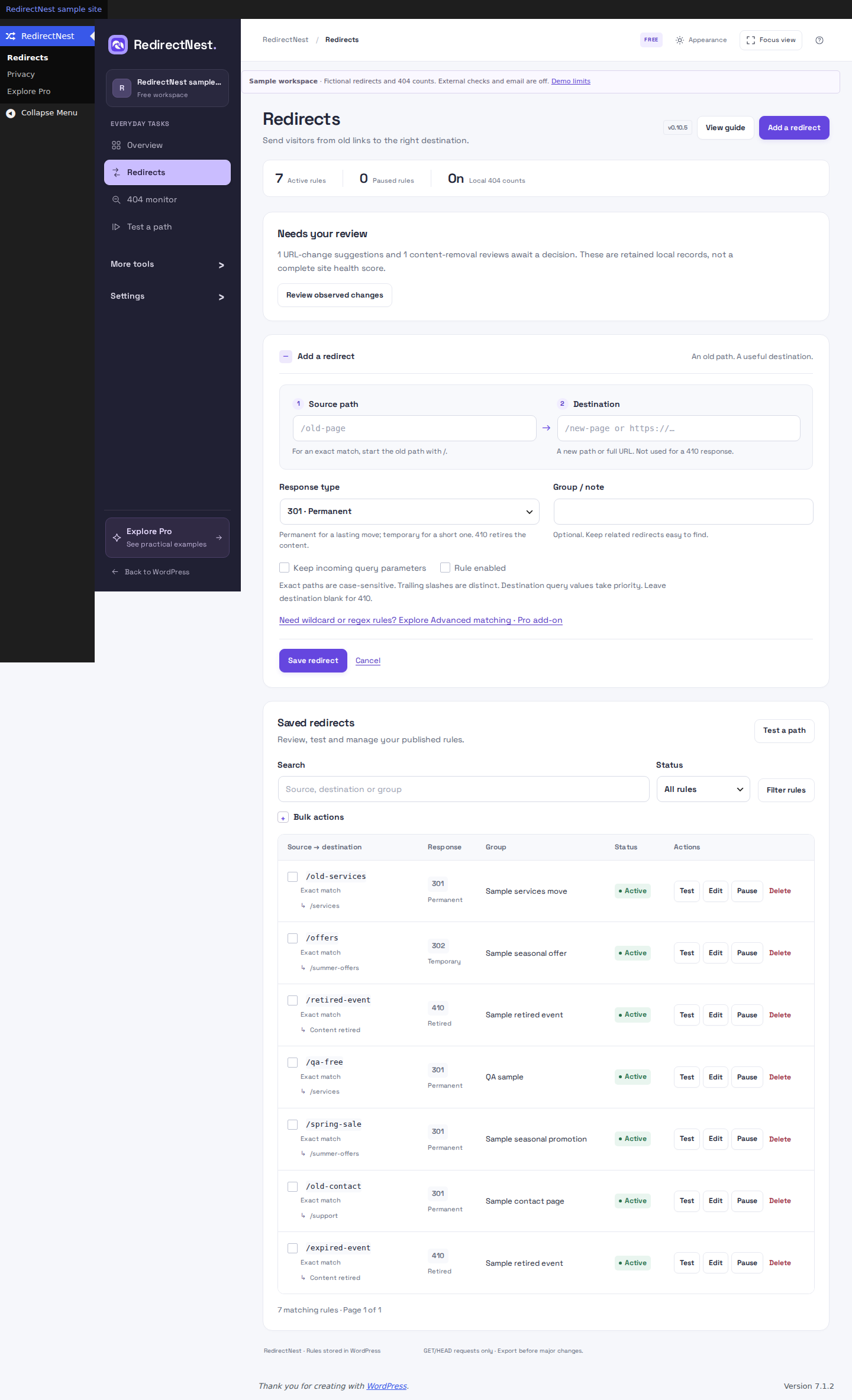 View full screenshot
Update to Free 1.1.2 with Pro 1.1.2
Back up your database and files and test on staging. Fresh installation: install Free 1.1.2 first, then Pro 1.1.2. Existing pair: replace Pro first, then Free, without uninstalling. Redirects, settings and activation are retained. The signed Pro updater requires Free 0.10.0 or newer; the manual loader allows the supported transition between editions.
If database setup fails, Free stays paused on subsequent requests until a retry succeeds. The administrator sees guidance instead of opening a workspace against missing tables. Ask your host to review the database error and required permissions, then reload WordPress after the host corrects the cause.
The WordPress options table and, on multisite, the network metadata table must use InnoDB for safe writes. The plugin never grants database permissions or converts tables automatically. Keep a backup before a host changes database configuration. Read database setup guidance.
Add Pro to a new installation
- For a fresh pair, install and activate Free 1.1.2 first, then Pro 1.1.2. Keep both plugins installed.
- Sign in to your customer account and open your eligible purchase to download the separate Pro ZIP. Existing private purchase links still work.
- Assign the installation using its Settings → General → Site Address (URL), then copy its site-specific install key.
- Open RedirectNest → License & updates, enter the private key on Site connection, review the connection consent and choose Connect site.
First activation requires current entitlement. Keep the key private. Production and staging assignments are separate; each WordPress subsite counts as a site. The Pro folder stays redirect-nest-pro.
Update an existing installation
- Back up your WordPress database and files and export your redirect rules. Test the matched update on staging.
- For older installations such as 0.5.8, use the current ZIPs from your eligible private purchase and the Free download page. The signed Pro 1.1.2 update requires Free 0.10.0 or newer. To update an older pair in the supported Pro-first order, install the current Pro ZIP manually, then update Free; the updater does not upgrade Free for you.
- For an existing Free/Pro pair, install Pro 1.1.2 FIRST, then Free 1.1.2, without uninstalling either plugin. A Free-only installation can update Free directly.
- Confirm both installed versions under Plugins. Test representative old paths, saved conditions and important destinations.
Free 1.1.2 requires Pro 0.9.0 or newer for advanced matching and pauses incompatible older Pro code. Pro 1.1.2 can load alongside Free 0.7.1 or newer to support the Pro-first upgrade; finish by updating Free to 1.1.2. Rules and settings are retained. Advanced redirects require Pro to remain installed and active. If Pro is removed or inactive, those rules stay saved but do not run. Free can still pause, delete, export and recover them; restoring compatible Pro resumes their matching.
After the 0.7.1 storage upgrade, do not downgrade either edition below 0.7.1. If a problem occurs, keep the compatible pair, review rule recovery and use your independent backup or support for plugin/database recovery.
Pro verifies signed update metadata and package hashes and checks each release’s platform requirements. Ordinary expiry leaves installed, previously activated Pro features working on that installation. Renew for new downloads, updates and new site activations.
Explore the separate Pro add-on
Free has one Explore Pro entry in its workspace sidebar. It opens clearly labelled fictional examples of repair, matching, migration, monitoring and reports. The examples do not scan your site, change settings, activate a trial or connect an account. The separate Pro package supplies the paid tools.
Everyday Free tools remain available without registration or payment. With Pro installed, use its actual workspace pages to review your own site records.
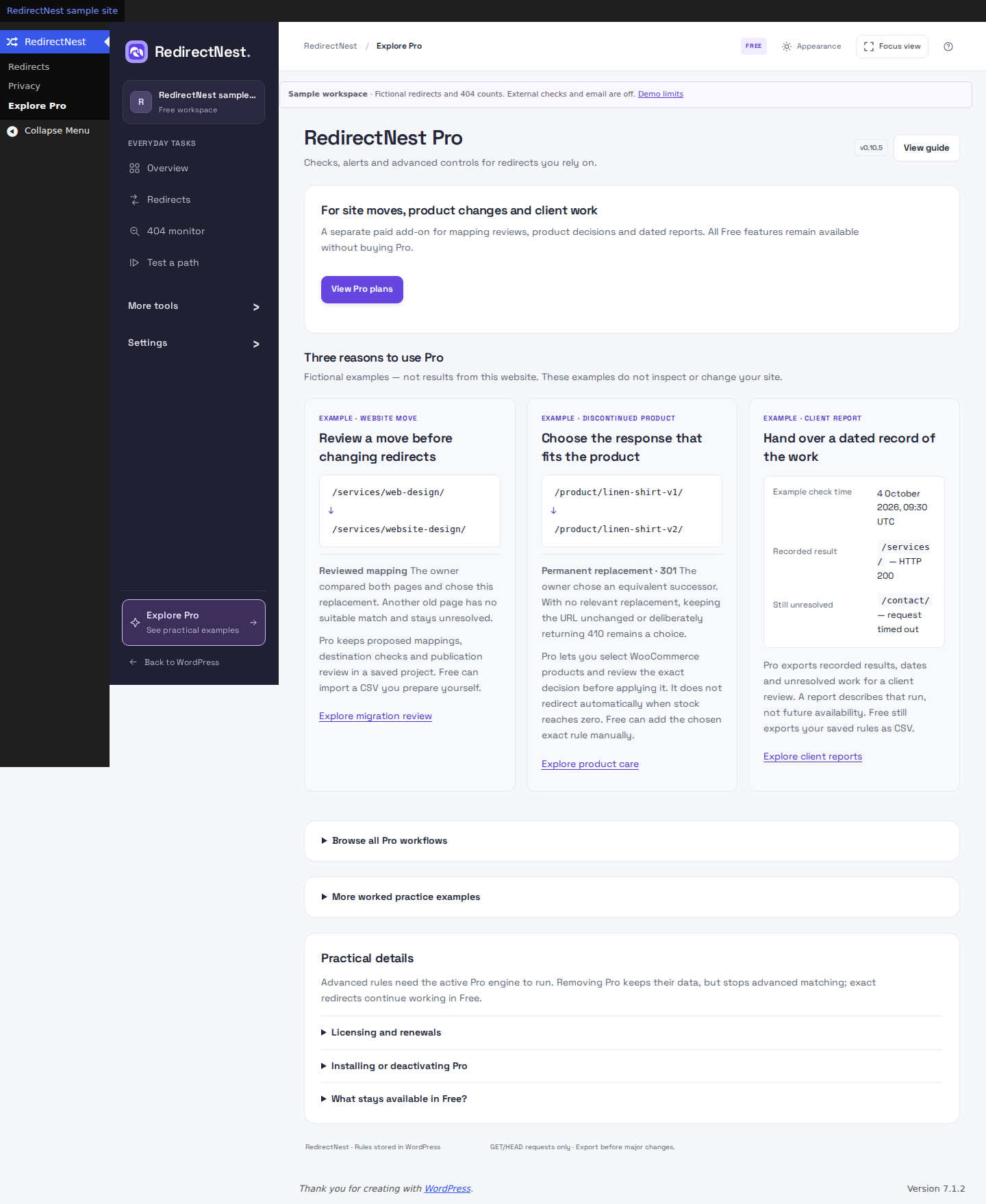 View full screenshot
HISTORICAL CONTEXT
Earlier update notes
These notes explain changes introduced before 0.10.6. Use the current Free 1.1.2 and Pro 1.1.2 releases; the older version numbers are not extra installation steps.
Update to the matched 0.10.5 pair
Back up your database and files and test on staging. Fresh installation: install Free 0.10.5 first, then Pro 0.10.5. Existing pair: replace Pro first, then Free, without uninstalling. Redirects, settings and activation are retained. The signed Pro updater requires Free 0.10.0 or newer; the manual loader allows the supported transition between editions.
The current workspace starts with Overview, keeps WordPress navigation visible and has one Explore Pro entry. Choose Focus only when wanted. Logging changes require an authorized POST; a failed setting save preserves existing counts. Deactivation clears background jobs only after WordPress saves the change, including eligible network sites.
The WordPress options table and, on multisite, the network metadata table must use InnoDB for safe writes. If storage is unsupported, the plugin stays paused and explains the requirement. Ask your host to review a backed-up conversion; the plugin never converts the table automatically.
After updating to 0.10.0
Use the matched Free and Pro 0.10.0 packages. Existing pair: update Pro first, then Free without uninstalling. Fresh installation: install and activate Free first, then Pro. Confirm both versions and test representative exact and advanced paths.
Your existing privacy choices remain in effect. New recurring content scans are off by default; enabling them requires explicit authorization. The 404 review decisions and care history are local auxiliary records with bounded retention. Check the limits before relying on retained evidence. Public screenshots and the temporary WordPress demo show their labelled earlier versions.
After updating to 0.9.6
Confirm that both current plugins show 0.9.6. Existing pairs update Pro first, then Free; new installations start with Free. Saved rules and settings are retained. Free pauses Pro older than 0.9.0, and Pro can load alongside Free 0.7.1 for the Pro-first update. Finish by updating both.
With Free alone, ten sidebar items carry a PRO badge and open informational feature explanations. They do not run paid tools or scans. Redirects and Privacy remain Free. When compatible Pro is active, its functional pages replace the explanations without duplicate menu entries.
Review an exact redirect, test a representative saved path and inspect any advanced rules. Advanced matching requires Pro to remain installed and active.
After updating to 0.9.3
Confirm that Free and Pro both show 0.9.3. Existing pairs update Pro first, then Free without uninstalling; new pairs install Free first. Test important exact, wildcard, query and visitor-condition rules.
Explore Pro now presents five short feature cards, a single View Pro plans button and expandable practical details. Free’s redirect editor includes a small link to the Advanced matching explanation when the Pro editor is unavailable. All Free tools remain available without buying Pro.
The release also includes the input-handling fixes prepared in 0.9.1 and 0.9.2. Invalid form or upload values are rejected without applying the requested changes, encoded URL prefills are retained, and monitoring alerts require a valid recipient when enabled. Review any validation message before saving again.
Keep compatible Pro active for advanced rules. Removing or deactivating Pro preserves their data but stops advanced matching. Ordinary subscription expiry is a separate licensing state; see licensing and renewals.
After updating to 0.9.0
Advanced redirects require Pro to remain installed and active. If Pro is removed or inactive, those rules stay saved but do not run. Free can still pause, delete, export and recover them; restoring compatible Pro resumes their matching.
Free now includes all local logging controls: retention, daily path limits, noise filtering and ignored prefixes. Counters remain optional and off by default. Saved privacy choices and existing settings are retained.
Confirm that both plugins show 0.9.0, keep Pro active, and test exact, wildcard, query and request-condition rules that matter to your site. An advanced rule with a missing engine does not become an unconditional redirect.
Tools introduced in 0.8.0
Open Redirects → Needs attention to review local URL changes and deleted public pages. Free can leave a deletion unchanged, save a manually chosen replacement or return an explicitly confirmed 410.
With activated Pro, administrators can open Smart repair, Migration Auto-Mapper and Redirect lifecycle. Internal-link cleanup follows an eligible saved redirect and fresh content scan. No suggestion is published automatically.
Existing redirects, privacy choices and activation settings remain in place. Free still includes basic hit/404 counts and confirmed bulk enable, pause and delete. Optional workflow explanations can be hidden per user/site; opening them sends no conversion telemetry.
After updating to 0.5.8
Long labels, project names and report branding now retain valid multilingual text when shortened. If an earlier value was cut incorrectly, re-enter its intended text after updating.
In Pro, editing a draft mapping clears its previous sitemap comparison. Upload the old and new sitemaps again before relying on coverage or issuing a new client report. A delayed release of an old site connection no longer removes a replacement key saved by another administrator.
The existing interface, redirect rules, edition boundaries and activation policy remain in place. If upgrading from before 0.5.7, the historical notes below explain earlier changes; follow the current 0.8.0 update steps above.
Interface changes introduced in 0.5.7
Version 0.5.7 introduced the redesigned interface retained in 0.5.8. These notes explain that change; they are not instructions to install an older package.
In Redirects, choose Add a redirect to open the form. Saved rules remain visible below it. Import & export groups the upload fields and keeps conversion details under an expandable explanation. In Workflow & recovery, expand the dated snapshot you intend to restore before confirming.
Migration projects now puts the current workspace, check results and next action first. Use Review changes for the rule comparison. Expand background checks and sitemap tools under Project tools; the Client report is below them. Monitoring & schedules and License & updates retain their WordPress menu entries. The license page is headed Site connection.
This release changes presentation and navigation within screens. Existing redirect behavior, saved-data formats, edition boundaries, prices, site allowances and activation policy are unchanged. No new tracking or external fonts are added. If upgrading from before 0.5.6 or 0.5.5, also read the relevant earlier update notes below.
Free and Pro changes introduced in 0.5.6
Free now includes bulk pause/delete and reviewed basic exact-rule conversions from Redirection JSON. Free can also preview Rank Math exports and review Simple 301 exports for manual conversion. Rank Math conversions require Pro for trailing-slash matching; Simple 301 exports need manual conversion in either edition. Review the selection before a bulk change. Competitor conversions require explicit acknowledgement of encoded-path differences before import; test representative encoded URLs before switching plugins.
Advanced matching options still require Pro where supported, including query-specific matching on an otherwise exact source. Imports with rejected rows must be corrected before publication; conditions are never silently removed. See the import compatibility guide and bulk cleanup steps.
These edition changes remain in the current release. The 200-advanced-rule limit and activation policy are unchanged. If upgrading from before 0.5.5, also review the compatibility notes below.
If upgrading from before 0.5.5
Retest rules that preserve query parameters or use wildcard and regex captures. Incoming nested secret parameters are filtered more thoroughly, configured destination parameters keep priority, and regex alternatives must match the whole path. See matching examples before relying on a broad rule.
The update changes how some case-insensitive regex rules are recognized in saved schedules and samples. Existing redirects keep running, but an affected schedule can report a conflict. Review the intended rule and recreate the affected schedule; re-enter representative pattern samples in migration projects and monitoring if they are missing. Run fresh checks after saving them.
If an old edit form reports that rules changed, reload it and review the latest rules before applying your change. The release notes cover the fixes in both editions.
These guides describe Free 1.1.2 and Pro 1.1.2. Current downloads and availability.