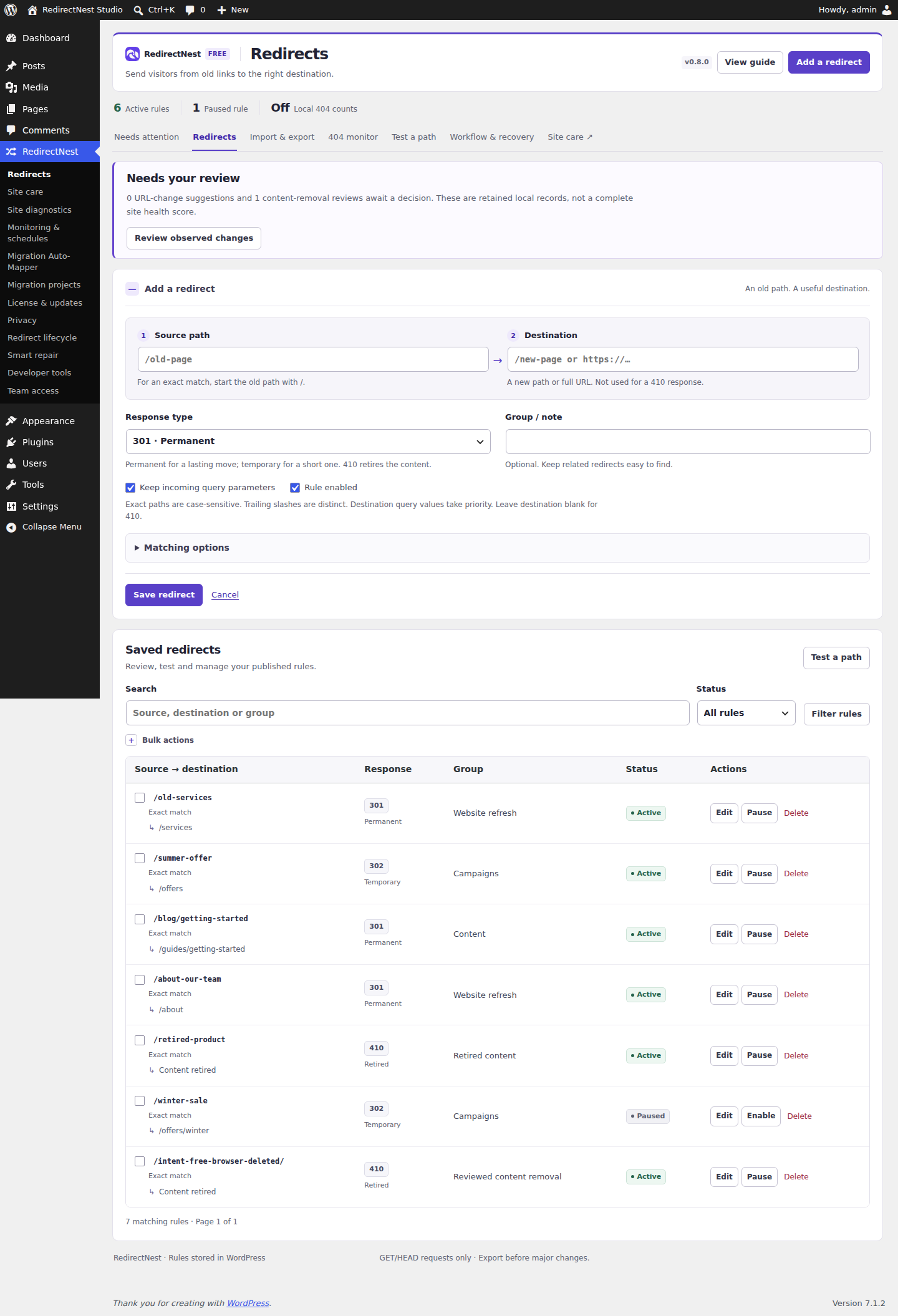
Broken-link repair
Review suggested destinations and check your chosen replacement before publishing a redirect.
View details →REDIRECTNEST PRO
RedirectNest Pro is a separate paid add-on for reviewed repairs, advanced rules, migrations and ongoing checks. Install it alongside Free; all Free tools remain available without buying Pro.
Pro 1.1.2 + Free 1.1.2 · WordPress 6.7+ · PHP 8.1+
Pro is available to purchase. Choose your plan
Open the gallery to browse screens and zoom into the details.
Browse all 14 plugin screensReview suggested destinations and check your chosen replacement before publishing a redirect.
View details →Handle groups of URLs with wildcard, regex, query and visitor-based rules.
View details →Review URL mappings and check destinations before publishing a site migration.
View details →Check saved redirect destinations regularly and receive alerts when checks find problems.
View details →Export dated reports showing reviewed redirects, check results and unresolved issues.
View details →INCLUDED IN PRO
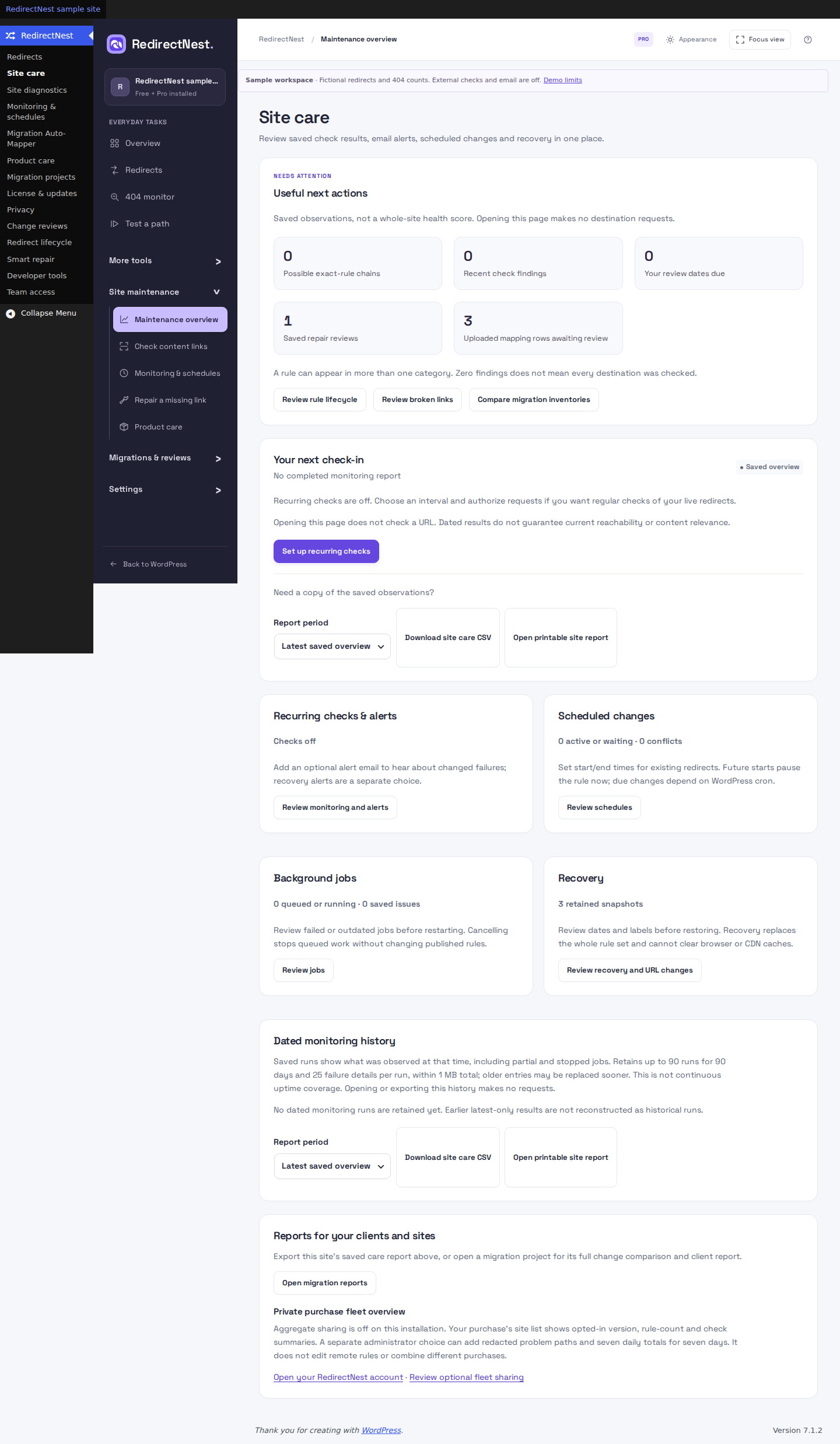
Four tools for decisions that need more context. Each keeps approval with you; these screens show sample data inside the actual plugin.
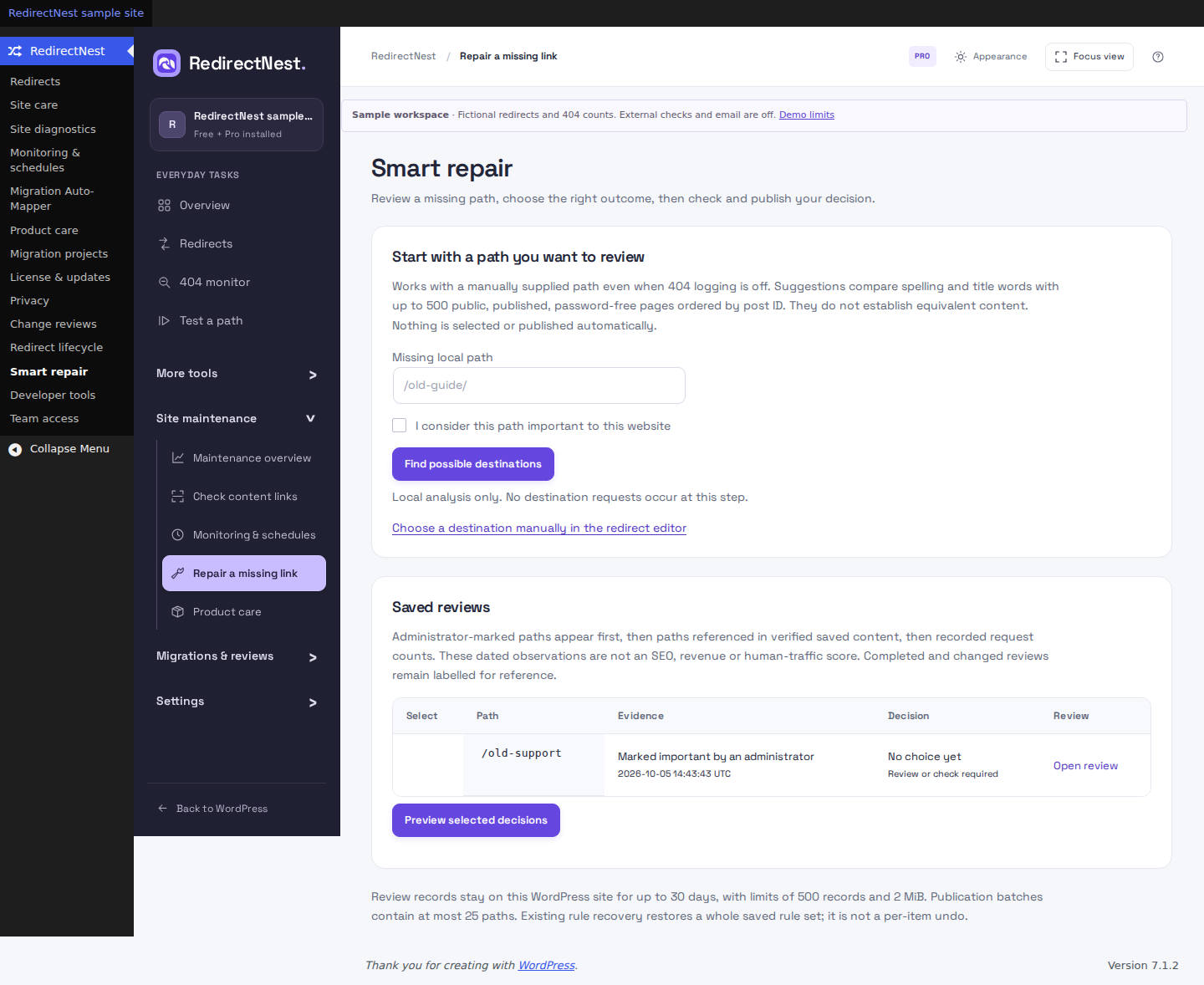 View full screenshot
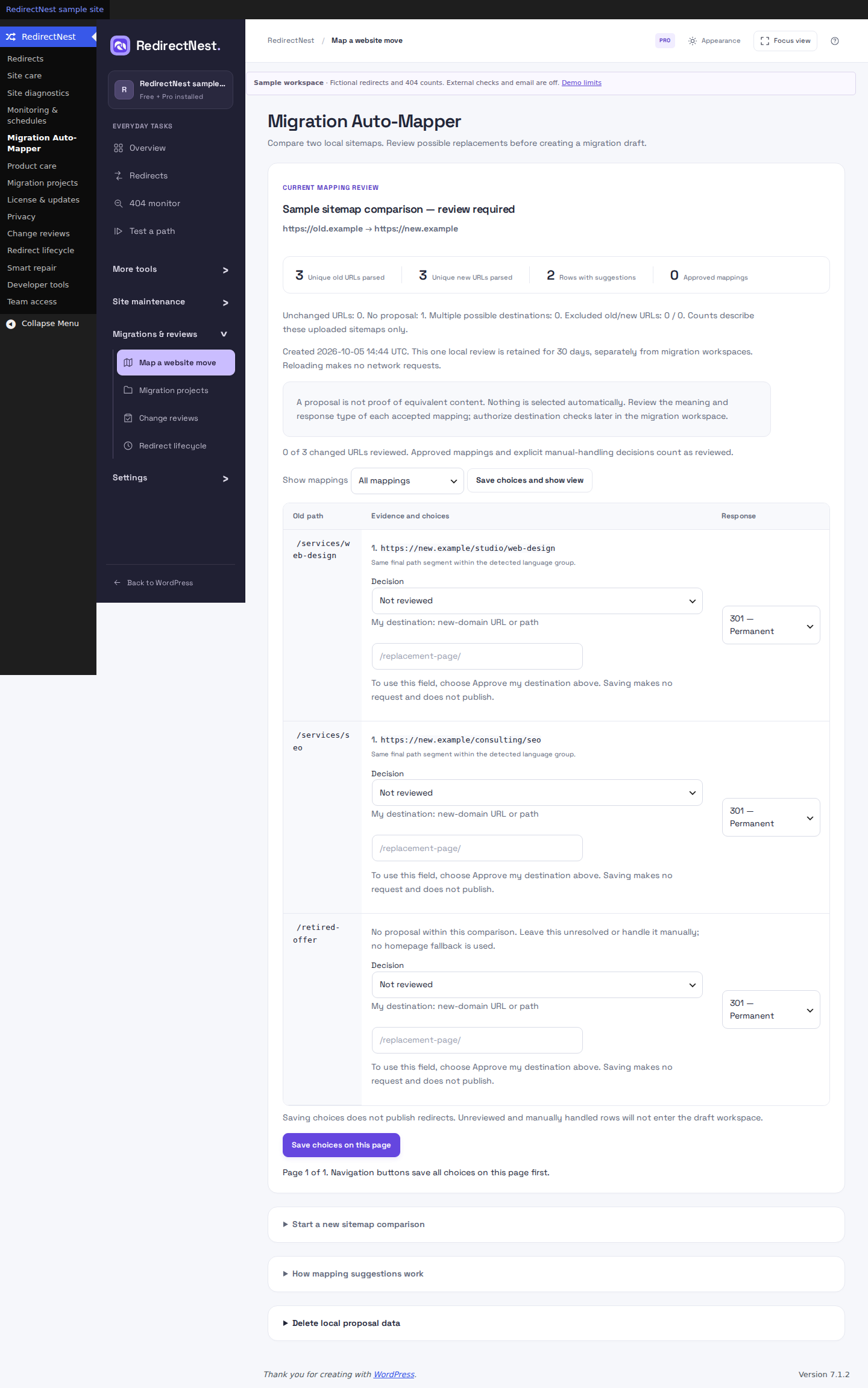 View full screenshot
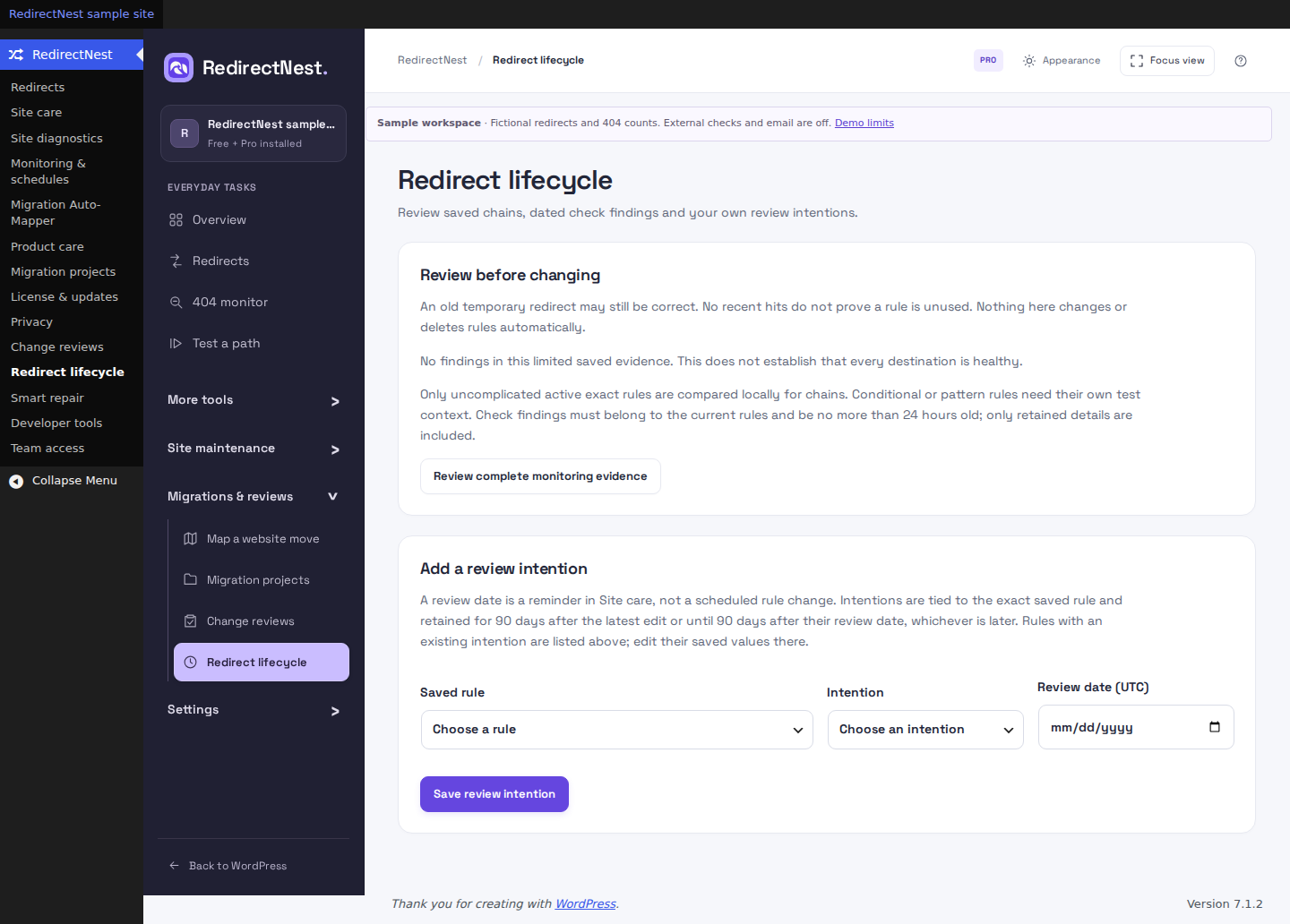 View full screenshot
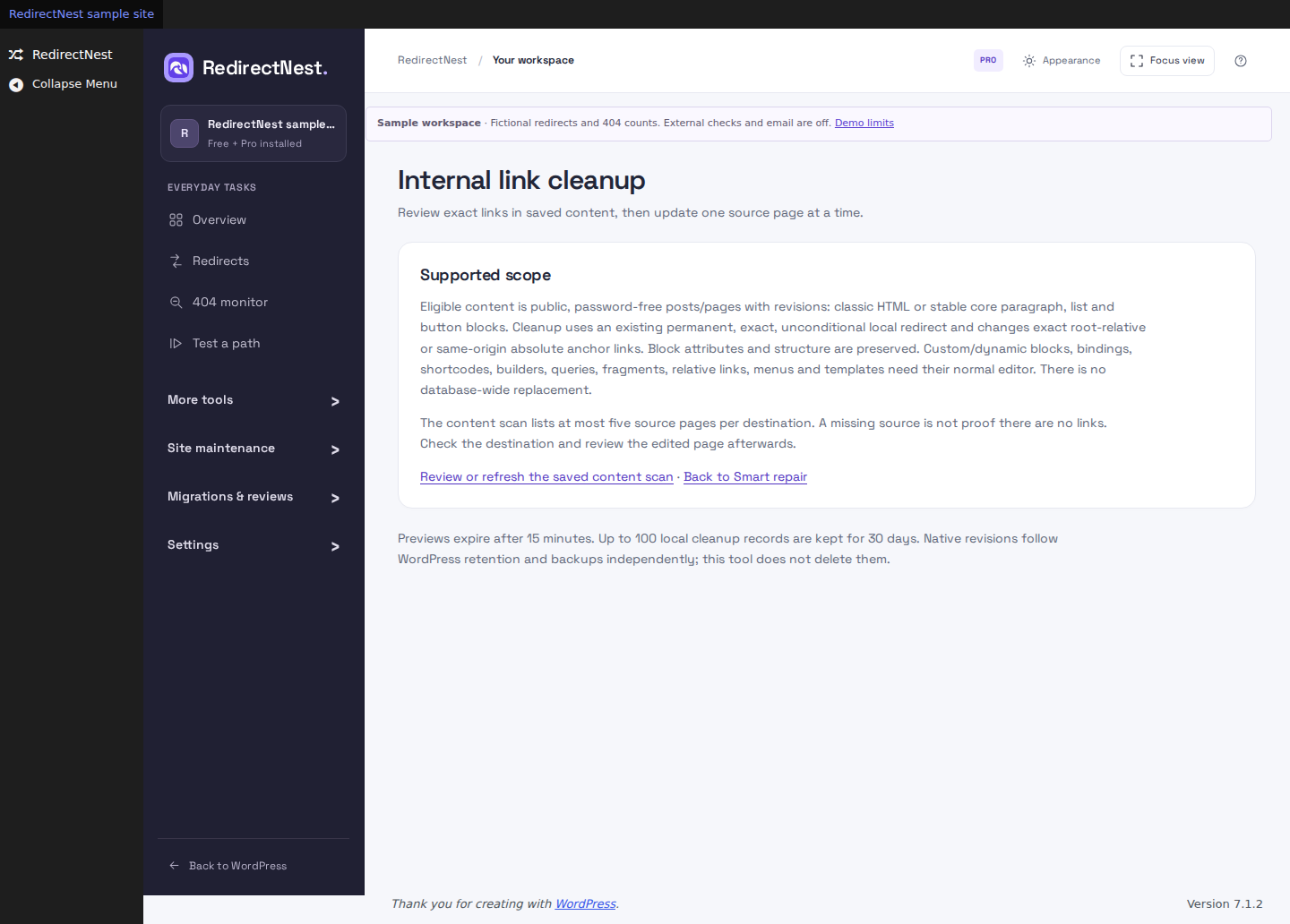 View full screenshot
Actual Pro 0.10.5 screens · Fictional demo data. External checks and email are disabled. These tools require administrator access and the matched Free/Pro pair. Text and path similarities do not prove equivalent content. Same-path domain moves need routing on the old host. Read the scope and retention limits.
PRO · EVERYDAY EXAMPLES
Two common jobs to explore with sample data. Try either example before you install.
Moving your shop URLs? Capture the path after /old-shop/ and reuse it under /shop/.
/old-shop/* /shop/$1/old-shop/shoes → /shop/shoes/old-shop/sale/boots → /shop/sale/boots/blog/shoes stays outside this rule.Send an existing offer link to your sale page for one planned window, then retain the paused rule.
/weekend-offer /saleAfter saving a future start, the rule is paused until due. Times use your site's timezone; WordPress cron can run late. A paused rule stays saved.
Illustrative paths and outcomes. The demos use sample data and do not change your WordPress site. See the actual Pro 0.8.0 matching controls.
FOUR STAGES. ONE REVIEWED MOVE.
Explore the workflow below.
These are illustrative project results;
no live requests are made here.
Name your project and import a mapping, or turn approved Auto-Mapper decisions into a draft. Explicitly choose whether to update existing sources or reject duplicates.
Start a migration project ↗relaunch.csvThe active redirects are unchanged while you review.
Edit a destination in the draft. Run checks when you’re ready. Failed or unverified results remain visible so you can fix and retry them.
Understand check results ↗/new-servicesPassed/new-catalogue404 · Review/slow-pageUnverifiedA timeout is never counted as a successful check.
Every row needs a recent passing, intentional-410 or paused result. If your active rules have changed since the draft began, create a new project against the current rules and rerun its checks before publishing.
Read the publish checks ↗Review your changes on a test copy and keep an independent backup.
Check the first response and final destination. Export a dated CSV report. Restore a retained rule snapshot if you need to reverse the plugin changes.
How rule-set recovery works ↗Reports and snapshots expire after 90 days. Export what you need to keep.
GOOD TO KNOW
Pro, Business and Agency include the same Pro tools. Choose by the number of production WordPress sites you manage.
Up to 5,000 rules, including 200 advanced rules. Free creates exact rules. Activated Pro adds wildcard and bounded regex matching, query and request conditions, case/slash controls and priorities. Advanced redirects require Pro to remain installed and active. If Pro is removed or inactive, those rules stay saved but do not run. Free can still pause, delete, export and recover them; restoring compatible Pro resumes their matching. Test representative URLs before publishing.
Checks require PHP cURL and a supported direct connection. They observe an HTTP response, not content relevance or search rankings. For an existing pair, update Pro 1.1.2 first, then Free 1.1.2 without uninstalling. For a fresh pair, install Free first. Pro requires a successful site activation. Background work needs a working WordPress scheduler.
Use recurring monitoring and request optional alerts when failures change. Combine rule schedules with advanced matching for more control over everyday redirects.
Continue bounded scans of stored public content across scopes, or opt into daily or weekly scans. Review dated observations and retained reports; dynamic content remains outside coverage and external destinations require a separate choice.
Saved workspaces connect mapping review, rule diffs, HTTP checks, publication and live verification. Compare sitemap coverage, export dated client reports and retain snapshots for recovery.
Yes. Pro is a separate add-on. For a fresh pair, install Free 1.1.2 first, then Pro 1.1.2. For an existing pair, update Pro first, then Free without uninstalling. Free runs exact redirects. Pro supplies the advanced matching engines and must remain active for advanced redirects. The review tools need the matched pair and administrator access.
Up to 200 advanced rules in total. Every converted Rank Math rule counts toward that limit, even with an exact source, because it ignores trailing slashes. The overall 5,000-rule limit does not increase the advanced allowance. Review conversion requirements.
Pro, Business and Agency have the same Pro feature set. Choose the number of production WordPress sites you manage. Compare plans and site allowances.
Exact redirects continue working in Free. Advanced rules require compatible Pro to remain installed and active; deactivating or removing it stops advanced matching while preserving the saved rules, export and recovery. Reactivating compatible Pro resumes those rules. Ordinary subscription expiry is different: previously activated installed Pro features, monitoring and schedules keep working while Pro stays active. Renew for new downloads, updates and new site activations. Refunds, disputes, site releases and explicit revocation are separate.
Yes. The WordPress demo runs the actual 0.10.5 plugins in a temporary sample site without registration. Your website is not connected. External checks, email, account connections and scheduled execution are disabled.
Purchase Pro from the pricing page, then access your downloads through your customer account or private purchase link. For an existing pair, update Pro first, then Free without uninstalling. For a fresh pair, install Free first, then Pro. Check Free download availability before planning a new installation. See current availability.
CHOOSE BY THE WORK YOU DO
Everyday redirect management stays in Free. Pro adds reviewed repairs, advanced matching, site care and migrations. Every paid plan includes the same tools.
| What you can do | Free | Pro |
|---|---|---|
| Redirects301, 302, 307, 308 and intentional 410 responses | Included | Included |
| Local testingExact paths, query preservation, loop checks and direct test links after saving | Included | Included |
| Bulk actionsEnable, pause or delete selected rules with confirmation | Included | Included |
| Needs attentionReview URL changes and deleted pages; choose a destination, leave unchanged or confirm 410 | Included | Included |
| PortabilityNative basic CSV and basic Redirection conversions, with fit summaries and downloadable row errors | Included | Included |
| Local countsOptional daily hit and 404 totals, with search, last-seen sorting and review/ignore decisions | Included | Included |
| Logging controlsRetention, daily path limits, noise filtering and ignored prefixes | Included | Included |
| Recovery & privacyRetained rule snapshots, export and auxiliary-data erasure | Included | Included |
| Advanced matchingCreate and run wildcard, bounded regex and query rules, with priorities and case/slash controls | — | Included |
| Request conditionsSigned-in/role conditions and supported request signals using 302/307 | — | Included |
| Advanced imports & groupsSupported advanced conversions, including Rank Math, and bulk group changes | — | Included |
| URL-change automationAutomatically publish supported URL-change suggestions | — | Included |
| Trend chartsCharts from saved daily totals | — | Included |
| Smart repairReview missing paths, explained local candidates and a checked batch before publishing | — | Included |
| Migration Auto-MapperCompare two XML urlsets locally, filter rows, choose custom targets and create a reviewed draft | — | Included |
| Redirect lifecycleReview potential exact-rule chains, recent failed checks and dates you set | — | Included |
| Internal-link cleanupPreview links in classic HTML and selected core blocks on one page, with guarded revision recovery | — | Included |
| Site diagnosticsBounded stored-content scans with continuation, dated observations and optional daily/weekly scans | — | Included |
| MigrationsSaved workspaces, rule diffs, destination checks, verification and dated reports | — | Included |
| Ongoing careBackground monitoring, optional alerts and rule schedules | — | Included |
| Client handoffSitemap coverage plus dated monitoring CSV and printable care reports | — | Included |
| Product route reviewsWith WooCommerce: search products, review a replacement or retirement, and explicitly approve the route | Manual exact rules | Reviewed workflow |
| Team accessSeparate capabilities, a propose-only workflow and different-administrator approval | Permissions | Role screen |
| Developer toolsAuthenticated REST/CLI management and reviewed portable server exports | — | Included |
| MultisiteSeparate rules for each WordPress subsite | Included | Included |
| Pro updatesSite-specific activation and signed Pro update delivery | — | While entitled |
Pro is a separate add-on with initial site activation. Fresh pair: install Free 1.1.2 first, then Pro 1.1.2. Existing pair: update Pro first, then Free without uninstalling. Installed Pro features remain usable on that activated site after ordinary subscription expiry; renew for downloads, updates and new activations. Advanced redirects require Pro to remain installed and active. If Pro is removed or inactive, those rules stay saved but do not run. Free can still pause, delete, export and recover them; restoring compatible Pro resumes their matching.
Both editions share a 5,000-rule limit, including at most 200 advanced rules; rule imports must be below 2 MB. Retention, daily path limits, noise filtering and ignored prefixes are included in Free. Seven days and 1,000 distinct missing paths per day are the defaults; retention can be set to 7, 30 or 90 days. Existing settings are preserved until changed. Request conditions require cache exclusions and are not access controls. Read the matching, scanner and cleanup limits.
Use Free 1.1.2 with Pro 1.1.2 for Smart repair, Auto-Mapper, Lifecycle and internal-link cleanup. These tools require administrator access. Suggestions compare words and paths, not content meaning; nothing is selected or published automatically. Cleanup supports eligible classic HTML and stable core paragraph, list and button blocks with WordPress revisions. Custom or dynamic blocks, builders and unsupported markup need manual editing.
Free imports supported basic Redirection conversions. Rank Math conversions need Pro for trailing-slash matching; Simple 301 needs manual conversion in either edition. Review encoded-path differences before switching. Unsupported conditions are rejected, and any rejected row blocks the import. Check import compatibility.
YOUR SITE KEEPS MOVING
After a successful activation, installed Pro features keep working on that site after ordinary subscription expiry—even during a service outage.
Renew for new downloads, updates and new site activations. Refunds, disputes, site releases and explicit revocation are separate. Keep both plugins active: advanced matching requires the separate Pro plugin. Saved rules and recovery remain available if Pro is inactive.
Compare Free & ProTAKE A CLOSER LOOK
Try a folder redirect or a reviewed repair with sample data, then explore scheduled campaigns and migrations. No registration or installation required.